Nextcloud Deck on Android,
with your boards offline too.
Deckloud is an independent Android app for the Deck boards on your Nextcloud server. It syncs straight to your server, keeps your edits when the network drops, and runs on phones with Android 7.0 or later.
Last verified
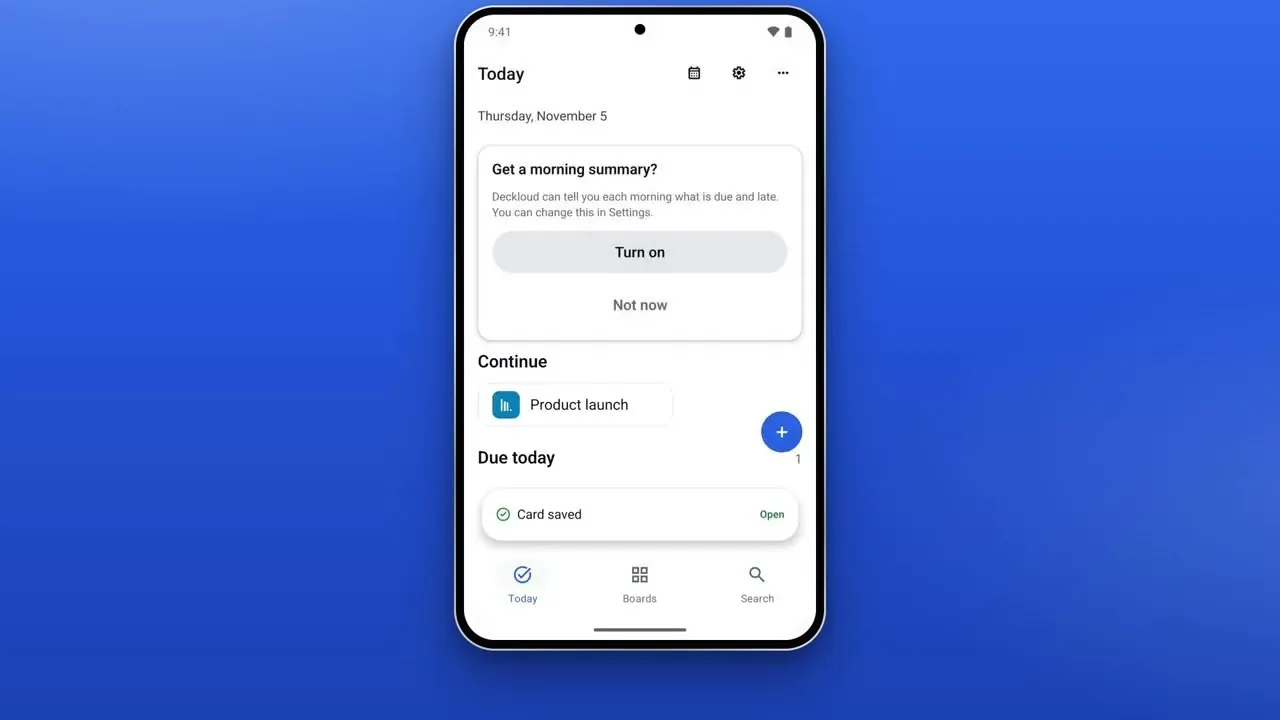 Watch the 2-minute tutorial
Connect your Nextcloud server on Android, add a card for today, and mark it done. Opens on YouTube, with English and German captions.
01
What you get on Android
Straight to your server.
Sign in with Nextcloud Login Flow v2. Board data goes between your phone and your Nextcloud only, with no Deckloud server in between.
Edits keep while offline.
Boards you opened once stay readable offline. Changes wait on the phone and sync when the connection returns; Recovery shows anything the server refused.
Today across your boards.
Due, overdue, and assigned cards from every board in one list, with the Gantt timeline for start and due dates.
Quick Capture and Smart Capture.
Quick Capture reads dates, #labels, and @names from the title. Smart Capture turns a pasted, dictated, or photographed list into several cards, on the phone.
02
Works with your Nextcloud
Deckloud needs a Nextcloud server with the Deck app enabled, self-hosted or from a provider. Full write support needs Deck 1.6 or later. Your existing boards, lists, cards, labels, assignees, comments, and attachments show as they are; nothing is migrated. No server? Start a free Deckloud Cloud workspace from the sign-in screen.
03
Android and iPhone: what differs
Boards, cards, Today, the Gantt timeline, search, reminders, repeating cards, Focus, the Team view, and offline sync work the same on Android and iPhone. Widgets, Shortcuts actions, Spotlight search, and Apple Reminders sync are iPhone and iPad only.
04
Free and Pro on Android
The core app is free with no time limit: boards, cards, comments, files, labels, Today, the Gantt timeline, search, and offline sync. Each month, each device also gets 10 Quick Captures and 3 Focus sessions, plus 1 reminder, 1 repeating card, and 2 accounts.
Pro on Google Play.
A one-time $39 / 39 € purchase, or $29 / 29 € a year or $9 / 9 € a month. It removes the free limits and also activates Pro in the desktop app with a one-time code.
Bought on the App Store?.
Pro bought for iPhone and iPad does not unlock the Android app, and Android Pro does not unlock iPhone. Restore Android Pro with your Google account.
05
Other ways to use Deck on Android
The open-source Deck app for Android is free on F-Droid and Google Play, and Deck also runs in the Android browser. Deckloud adds Today across boards, the Gantt timeline, an offline queue with Recovery, and the same boards in a desktop app for Windows, Linux, and Mac. The mobile app comparison has the details.
FAQ
Practical questions
Is there a Nextcloud Deck app for Android?
Yes. Deckloud is on Google Play, and the open-source Deck app is on F-Droid and Google Play. Nextcloud also runs Deck in any Android browser.
Is Deckloud an official Nextcloud app?
No. Deckloud is independent and not affiliated with Nextcloud GmbH. It uses the normal Deck APIs, so your boards stay ordinary Deck boards on your server.
Which Android version do I need?
A phone with Android 7.0 or later.
Do I need a Deckloud account?
No. You sign in with your Nextcloud account. A Deckloud Cloud workspace is optional and free.
Is Deckloud for Android free?
Yes, the core app is free. Pro is a one-time $39 / 39 € purchase on Google Play, or a yearly or monthly subscription.
Can I use the same boards on my computer?
Yes. The free Deckloud desktop app for Windows, Linux, and Mac opens the same boards, and Android Pro activates it with a one-time code.
Related
Nextcloud Deck mobile apps, compared for iPhone and Android.
Compare Nextcloud Deck apps: Deckloud on iPhone, iPad, and Android, Next Deck on iPhone and iPad, the Android Deck app, and the web app in any browser.
OpenNextcloud Deck on the desktop, for Windows, Linux, and Mac.
Nextcloud has no Deck desktop app. Deckloud is a native Deck client for Windows 11, Linux, and macOS with offline sync. Requirements and install steps.
OpenNextcloud Deck Gantt chart, on iPhone, iPad, Android, and desktop.
In Deck 1.18+, open a board's View Modes menu and choose Gantt view; cards need a start and a due date. Deckloud shows the same timeline on phone and desktop.
OpenTroubleshoot Nextcloud Deck, from server errors to stuck sync.
Fix Nextcloud Deck errors: maintenance mode (503), expired sign-in (401), permission denied (403), Deck app missing (404), certificate and sync problems.
Open