A better Mac workflow for Nextcloud Deck
when browser tabs stop being enough.
The Mac companion matters when your boards get wide, your edits get heavier, and you want a native Apple workflow that still points straight at your own server.
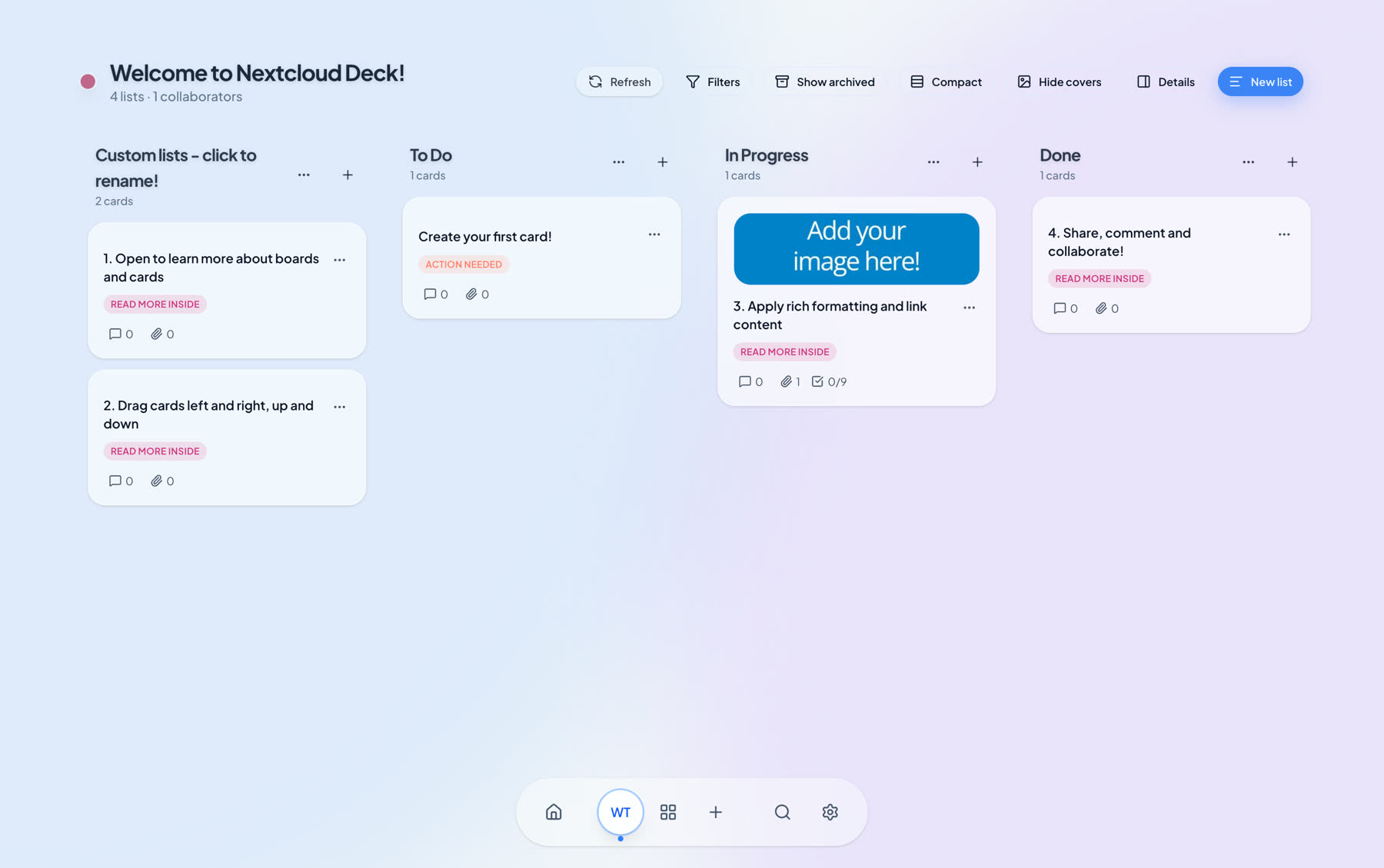
A native Mac companion pays off when your boards are wide enough that keyboard speed and desktop space start to matter.
What changes once the board session gets heavier
Nextcloud Deck already exists in the browser, so a Mac app has to justify itself. The answer is not more features for the sake of features. The answer is a better environment for people who spend real hours in boards and want a stronger Apple workflow.
On Mac, the goal is not simply to mirror the phone. It is to give your current Deck setup more space, more keyboard velocity, and a workflow that feels native to the way Apple users already move between windows, shortcuts, and drag-and-drop tasks.
That is where a dedicated Mac client becomes useful. You keep the same Nextcloud account and the same Deck structure, but you stop treating every serious board session like another browser tab to babysit.
What a Mac companion should add
- A wider view of boards and card detail without browser clutter.
- Keyboard shortcuts, quick search, and drag-and-drop for heavier sessions.
- A workflow that pairs cleanly with iPhone instead of replacing it.
A practical Mac workflow in four steps
01
Use the Mac app for wide-board review
This is where desktop space matters most: scanning broader board state, working multiple stacks, and keeping more context visible.
02
Lean on keyboard speed for repetitive actions
Search, navigation, and board movement are faster when they are designed for the keyboard instead of adapted from a browser view.
03
Keep iPhone as the quick-capture companion
The strongest setup is not Mac or iPhone. It is Mac for heavier sessions and iPhone for mobile review, capture, and due work.
04
Preserve the same server and account model
A useful companion app does not ask you to migrate your boards or adopt a new backend. It works with the Nextcloud setup you already trust.
Where the Mac companion earns its place
The argument is workflow density and native speed, not a separate ecosystem.
01
Desktop-sized board work
Wider views, quicker movement through stacks, and less friction when you are deep in a larger board session.
02
Apple-native workflow
The Mac app is meant to feel like part of an iPhone-plus-Mac setup, not like a web app stuffed into a desktop shell.
03
Same Deck, stronger surface
Everything still points at the same Nextcloud account and the same Deck model, so the learning curve stays low.
Add the Mac companion when the board work gets wider
See the full macOS page for the product breakdown, or download the Mac build if you already know you want the desktop companion.