Deckloud for macOS

Deckloud,a native Mac companion for Nextcloud Deck.

Bring your existing Nextcloud Deck boards onto macOS with keyboard speed, drag-and-drop board work, a larger canvas, and the same direct sync to your own server.

Deckloud for macOS
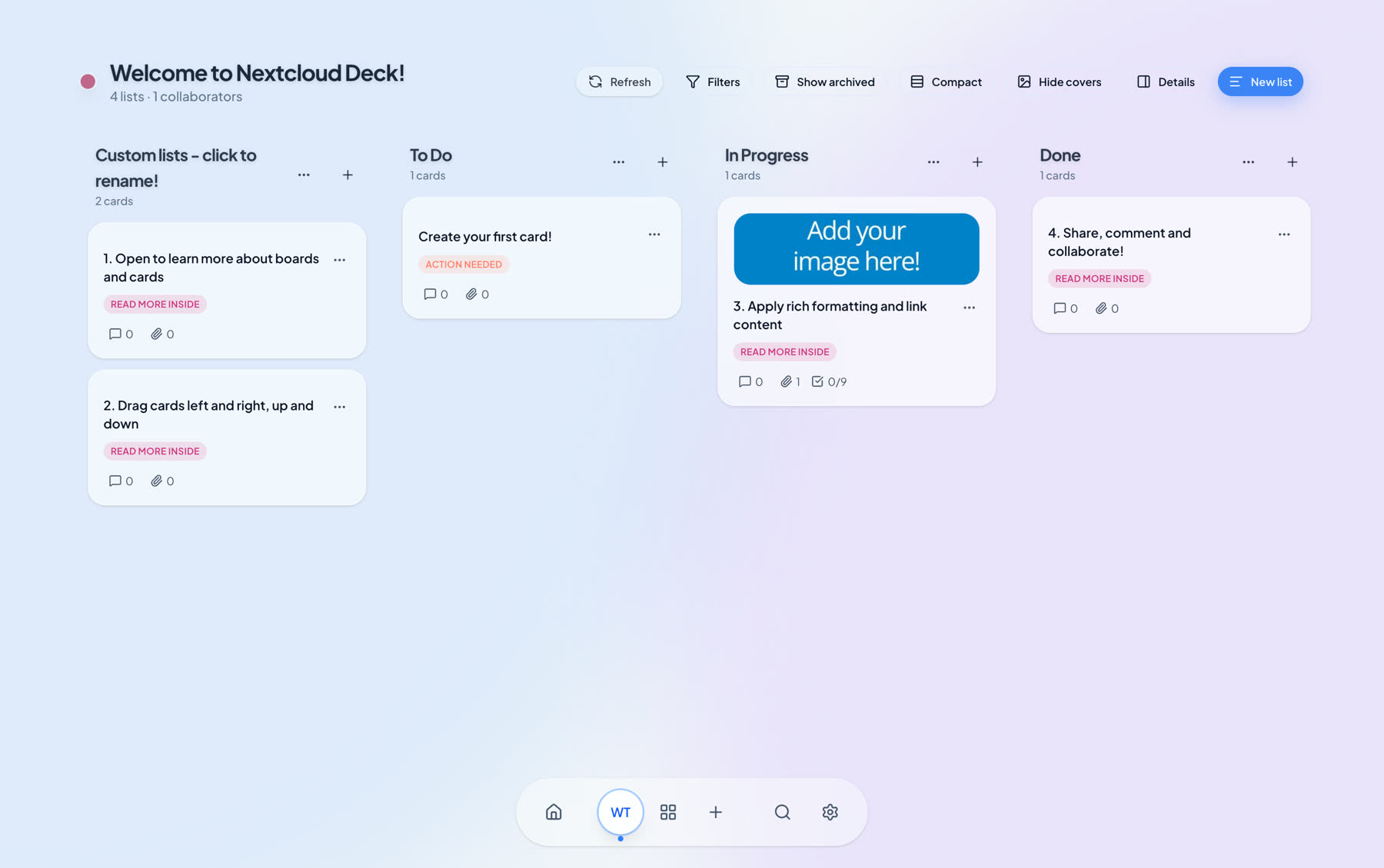
Deckloud macOS board view for Nextcloud Deck

Use a larger board view, faster navigation, and native Mac affordances for heavier board sessions.

Works with the Nextcloud setup you already manage

Deckloud for macOS is for existing Deck users, whether you run your own server or use a compatible provider.

Apple Silicon macOS companion
Direct sync to existing Nextcloud Deck boards
Pairs naturally with the iPhone app for one Apple workflow

The bigger-screen half of the Deckloud workflow

Nextcloud Deck already works in the browser. Deckloud for macOS exists for the users who spend enough time in boards that native navigation, keyboard speed, and a companion app become worthwhile.

The Mac app is designed as a companion to the iPhone product, not a fork in search of a category. It keeps the same Nextcloud model while giving Apple users a stronger desktop workflow.

Why the Mac companion matters

The differentiation is not feature inflation. It is a native Apple workflow around the Nextcloud Deck model you already trust.

01

Keyboard and board velocity

Move faster through boards with shortcuts, quick search, and a desktop-sized view of your current Deck setup.

02

Drag-and-drop board work

Use a more natural Mac workflow for larger boards, wider layouts, and heavier editing sessions.

03

Same server, same data model

The Mac app connects straight to the same Nextcloud account and board model you already use elsewhere.

04

Built to live next to iPhone

The real value is one Apple workflow across iPhone and Mac, not a separate product story with a different backend.

Questions Mac users usually ask

01

Is the Mac app meant to replace the browser?

It is a native companion for users who want a stronger Apple desktop workflow, while still keeping the browser and server setup they already use.

02

Do I need to change my Nextcloud server?

No. The app is designed around your current compatible Nextcloud account and Deck boards.

03

Why does the Mac app matter if I already have iPhone?

Because serious Deck users often need both: mobile capture and due-work review on iPhone, heavier board sessions on Mac.

Add a real Mac companion to your Nextcloud Deck workflow

Use the native Mac app for heavier board sessions and keep the iPhone app beside it for mobile work.