How to use Nextcloud Deck on iPhone
without turning it into a browser chore.
The best iPhone workflow is not a mini desktop. It is quick capture, due work, and board review with direct sync back to your own Nextcloud server.
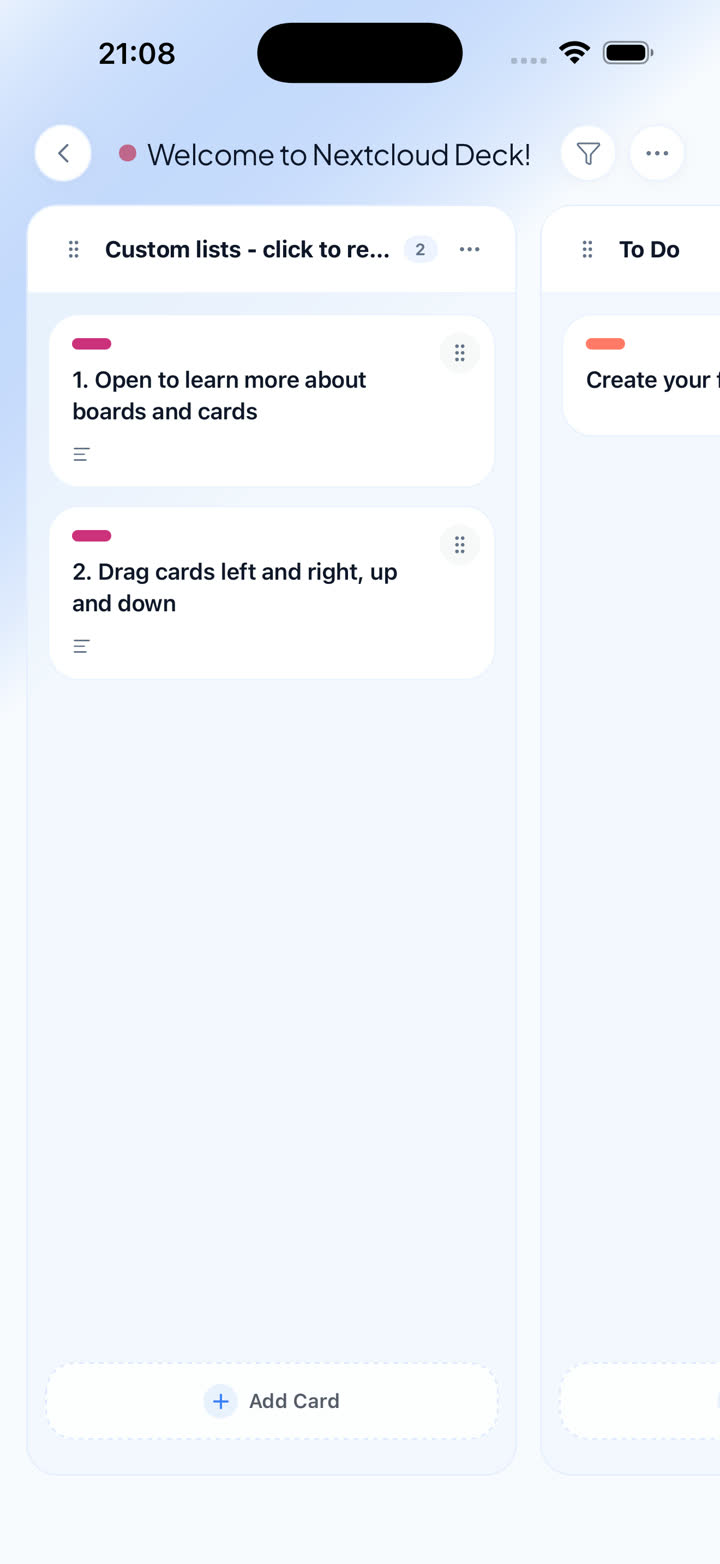
The right iPhone flow keeps board review and fast capture close to the thumb, not buried in a desktop-shaped UI.
What the iPhone workflow should optimize for
If you already run Nextcloud Deck, the phone should help you move work forward between meetings, during commutes, or whenever you are away from the desk. The mistake is forcing the browser workflow onto a smaller screen and pretending it is good enough.
On iPhone, Nextcloud Deck works best when the app is opinionated about the moments that matter most: scanning due work, moving cards, capturing a new task quickly, and checking context without opening a full browser stack.
That is why Deckloud focuses on native navigation, direct server sync, and queue-aware recovery. The job is not to imitate the browser. The job is to make everyday phone work faster while staying faithful to the same Deck boards you already trust.
Keep these constraints in mind
- Use your phone for fast review, capture, and lighter board edits.
- Stay connected directly to your own Nextcloud server instead of introducing a relay layer.
- Treat offline as queue-backed recovery with clear expectations, not as magic sync.
A strong iPhone setup in four steps
01
Connect with your existing Nextcloud account
Start with Nextcloud Login Flow v2 so the app is tied to the same account, boards, labels, and card model you already use on the web.
02
Make board review and due work the default loop
Your phone should surface overdue cards, upcoming work, and quick board state checks without forcing you into a wide desktop layout.
03
Use native capture for the moments between devices
Quick entry, focused views, and mobile-first navigation matter because most phone interactions happen in small bursts.
04
Expect temporary drops and let the queue recover cleanly
The right mobile client keeps core writes understandable when the network gets rough, then replays them when connectivity returns.
Why this is better than just opening the browser
The value is not novelty. It is a tighter phone-shaped workflow around the exact Deck setup you already run.
01
Same Nextcloud Deck model
Boards, stacks, cards, comments, labels, and attachments stay anchored to the system you already know.
02
Phone-first speed
Native navigation cuts the friction of repeatedly opening a browser and reshaping a desktop UI into a mobile task flow.
03
Offline resilience where it matters
Core mobile actions can survive a short network failure and recover in a way that is visible and understandable.
Start with the iPhone workflow
See the product page for the full iPhone breakdown, or go straight to the App Store if you already know the workflow fits.