Deckloud for iPhone

Deckloud,Nextcloud Deck in your pocket.

Use your existing Nextcloud Deck boards on iPhone with direct sync to your own server, queue-aware offline resilience, and native speed for daily board work.

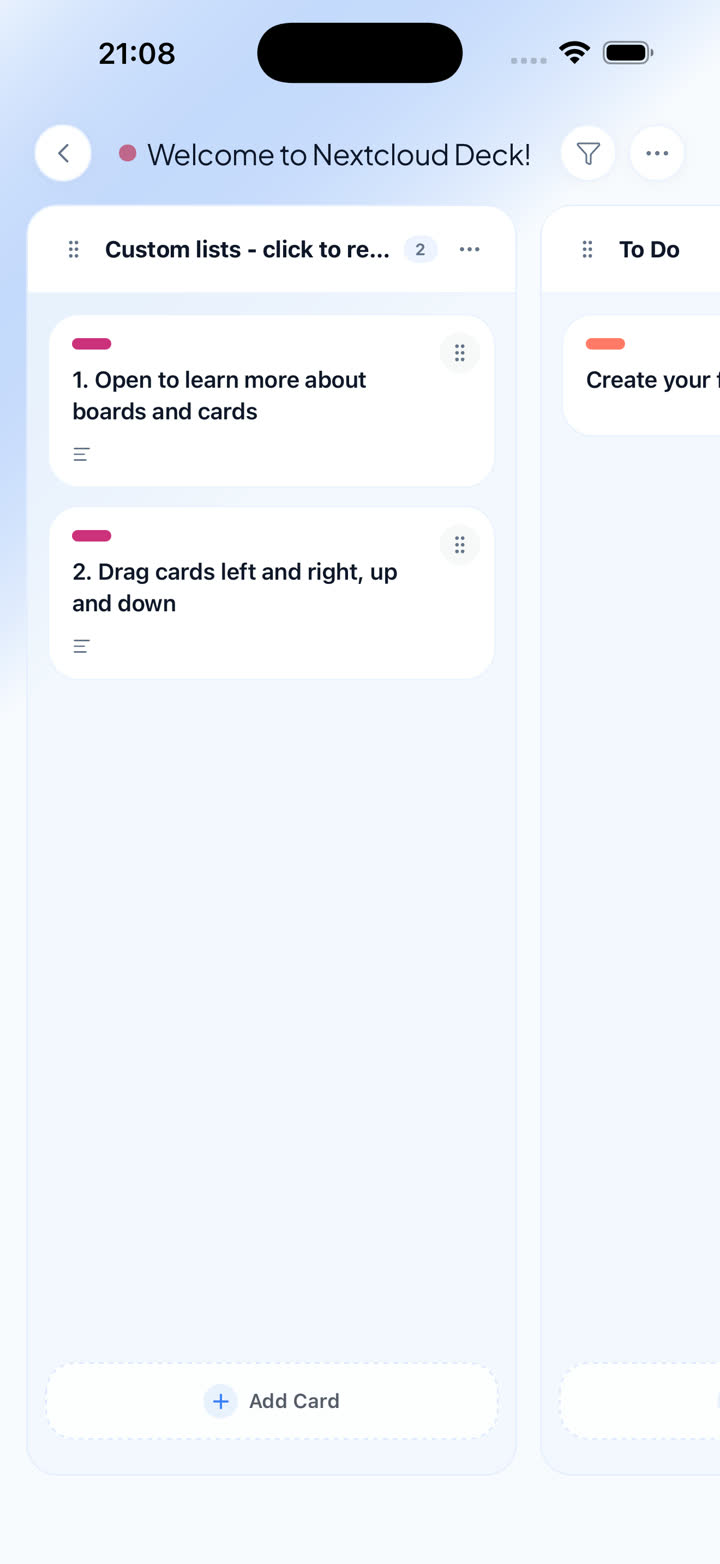
Deckloud iPhone board view for Nextcloud Deck

Move through boards, due work, and card details with a native iPhone flow.

Works with your current Nextcloud setup

Use any compatible Nextcloud server or managed provider. Deckloud opens the boards you already have.

Self-hosted servers and managed providers
Existing boards, labels, assignees, comments, and attachments
No migration or relay service in the middle

Built for the way serious Deck users already work

Deckloud is not a generic task app with a Nextcloud skin. It works with the same boards, stacks, cards, labels, comments, attachments, and account setup you already run in Nextcloud Deck.

The goal is simple: keep your iPhone fast for the work you actually do away from the desk. That means direct server sync, clean search, due-date visibility, and a workflow that still makes sense when connectivity gets unreliable.

Why the iPhone app feels different

The product wedge is native daily use, not replacing the web app with a watered-down wrapper.

01

Direct to your own server

Connect with Nextcloud Login Flow v2 and keep board and card data on your existing infrastructure.

02

Offline resilience for real work

Core actions can queue locally and replay when the network returns, so phone-first board work does not stop at the first drop.

03

Focus and faster capture

Use Focus View, widgets, and quick capture when your Deck setup becomes heavy enough to need dedicated mobile tooling.

04

One-time Pro unlock

Upgrade once for heavier workflows instead of paying a recurring subscription just to keep using your own server.

Questions iPhone users ask before switching

01

Do I need a special Deckloud account?

No. You sign in with your existing Nextcloud account and server.

02

Does this replace the web app?

No. Deckloud is a native client for daily iPhone work alongside the web app and your existing Nextcloud setup.

03

Who is this best for?

People already committed to Nextcloud Deck who want a stronger Apple workflow without giving up server control.

Put Nextcloud Deck on the iPhone you already carry

Start with the App Store build, then add the macOS companion if your board work grows beyond the phone.